One-liner
Build a form. Own every answer.
Short description (50 words)
Data Maker is a desktop form builder with a built-in local database. Design forms visually, publish them as web pages or fillable PDFs, and collect every submission into a searchable, encrypted database on your own machine. No cloud database. Buy once, own it forever.
Full description (150 words)
Data Maker is a form builder that keeps your data where it belongs: on your computer. Design forms with a drag-and-drop editor, add text fields, dates, choices, ratings, signatures, calculated fields, and more. Arrange them across pages or multi-step wizards, style everything to match your brand.
Every submission becomes a row in a real database you can search, filter, edit, and chart. Publish your form as a hosted web page, a fillable PDF, or embed it on your website with the WordPress plugin. When someone fills in your form, their answers are encrypted end-to-end before they travel across the internet. Your servers never see readable data.
Built with Uno Platform and C#, Data Maker runs natively on Windows, macOS, and Linux from a single codebase.
Key facts
| Developer | FOBO (fobo-tools.com) |
|---|---|
| Location | Netherlands |
| Price | €49 / $49 one-time, including one year of cloud features. Cloud renewal afterwards is €7 per month, or €69 per year. The app keeps working offline forever, with or without a cloud subscription. |
| Platforms | Windows, macOS, Linux |
| Distribution | Microsoft Store, and direct download: a signed and notarized .dmg on macOS, x64 builds on Linux. |
| Built with | Uno Platform, C#, .NET. One codebase, native on all three desktops. |
| Infrastructure | The submission relay and encrypted backup storage run on AWS in Ireland. Data never leaves the EU, and what sits there is ciphertext. |
| Languages | English, French, Spanish, German, Chinese (Simplified) |
| Product page | fobo-tools.com/Products/DataMaker |
| Social | @FOBOTools on X |
Screenshots
Click any image to open it at full size. These are the shipping product, not mockups. Higher resolution originals are available on request.
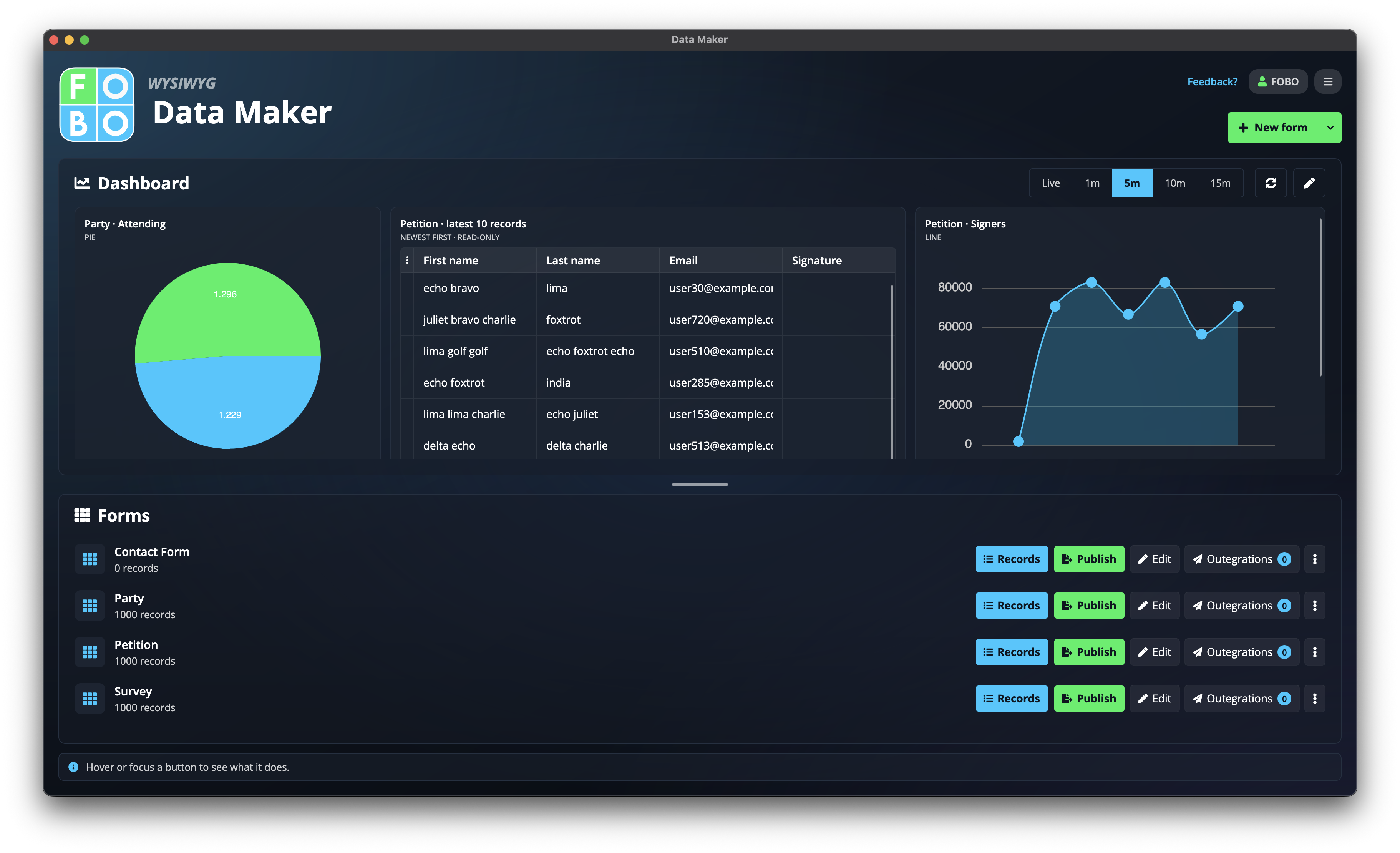
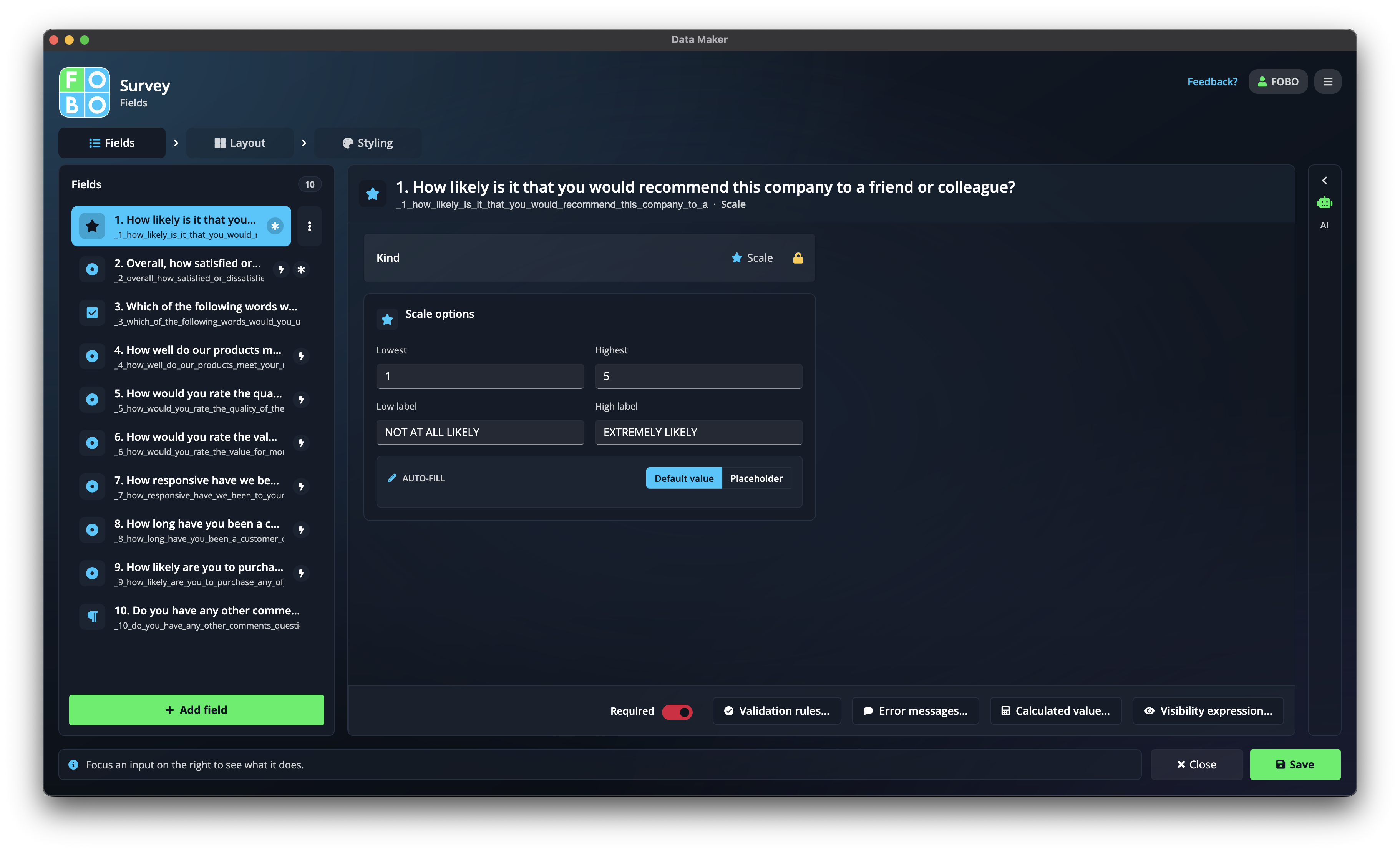
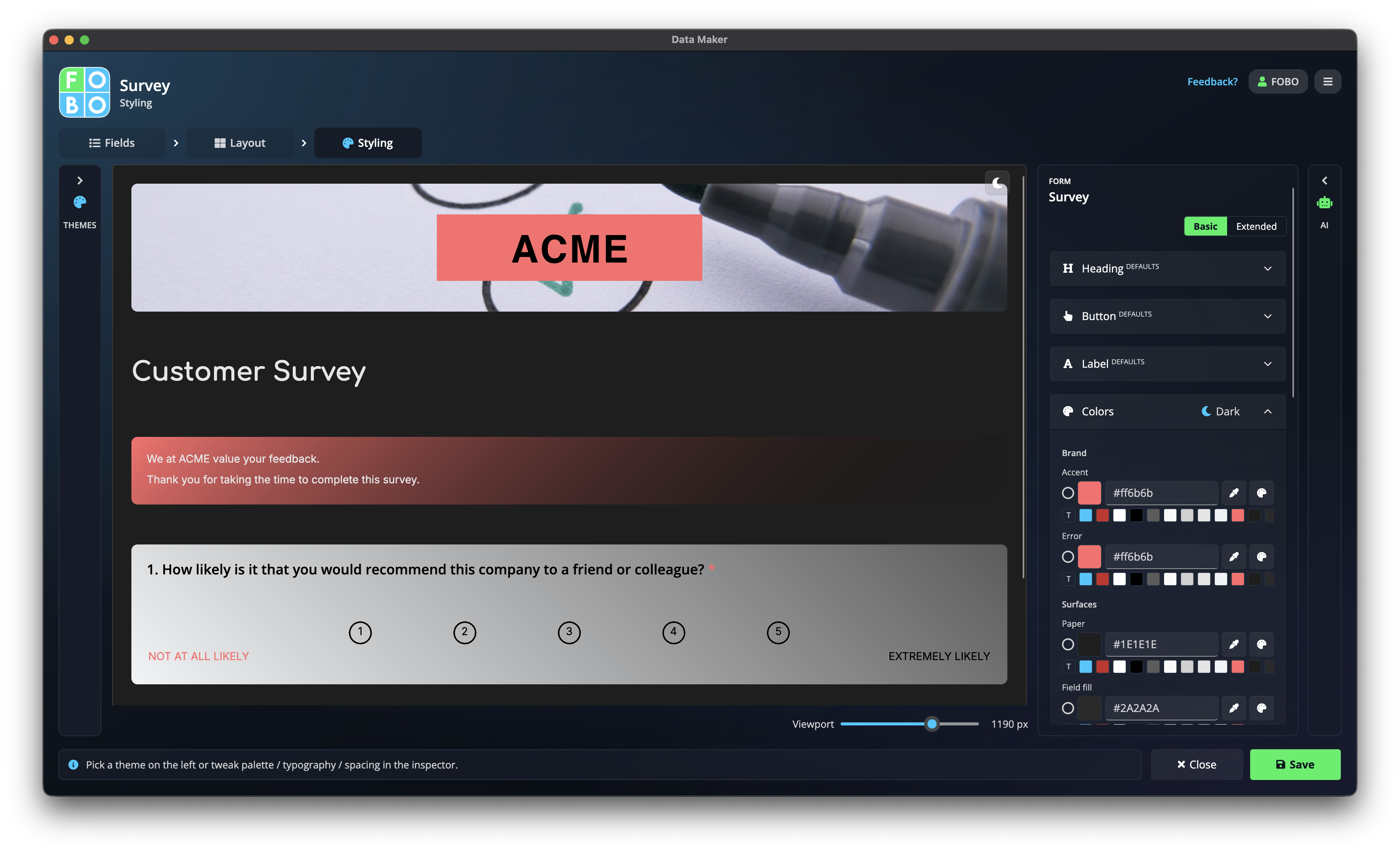
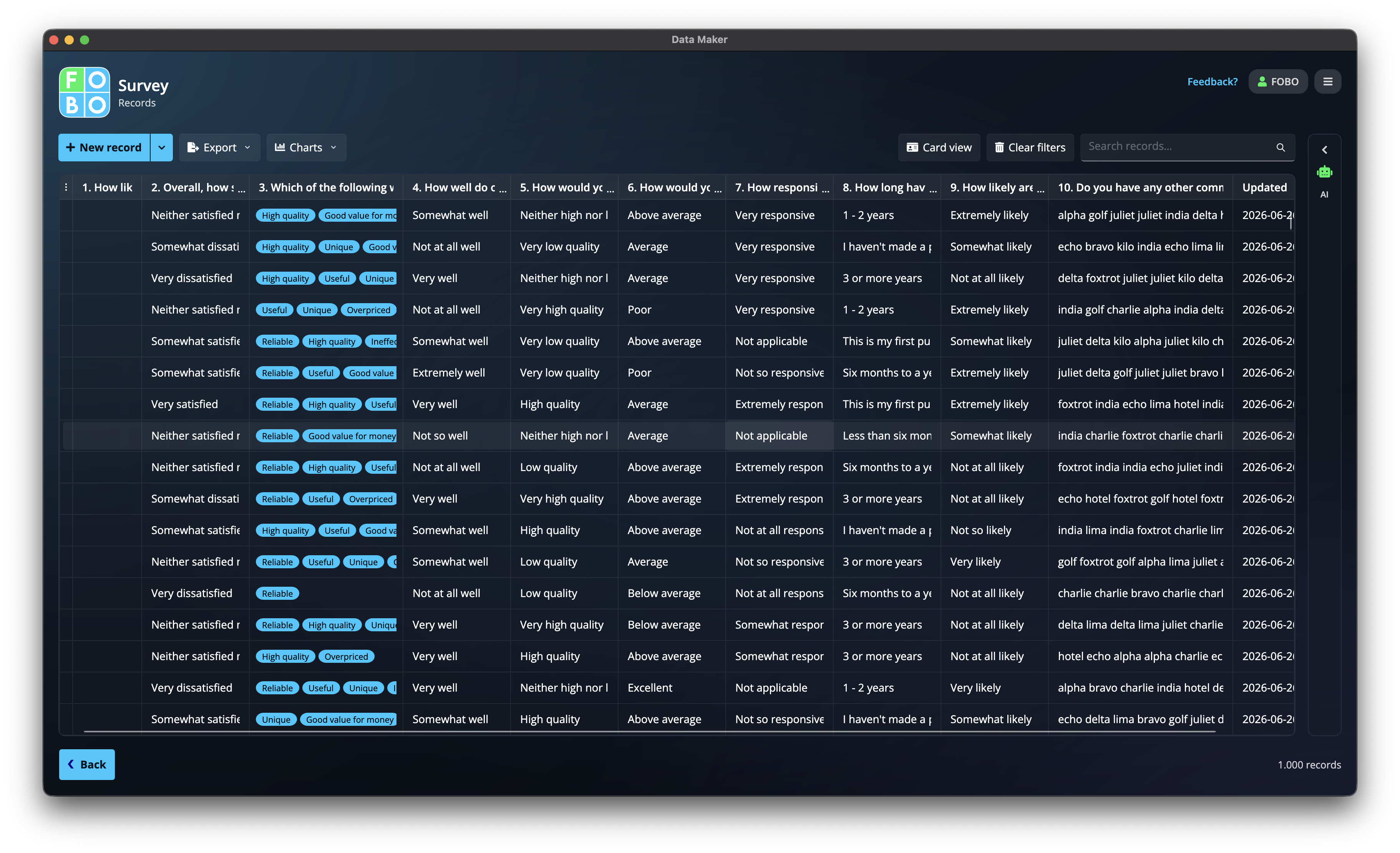
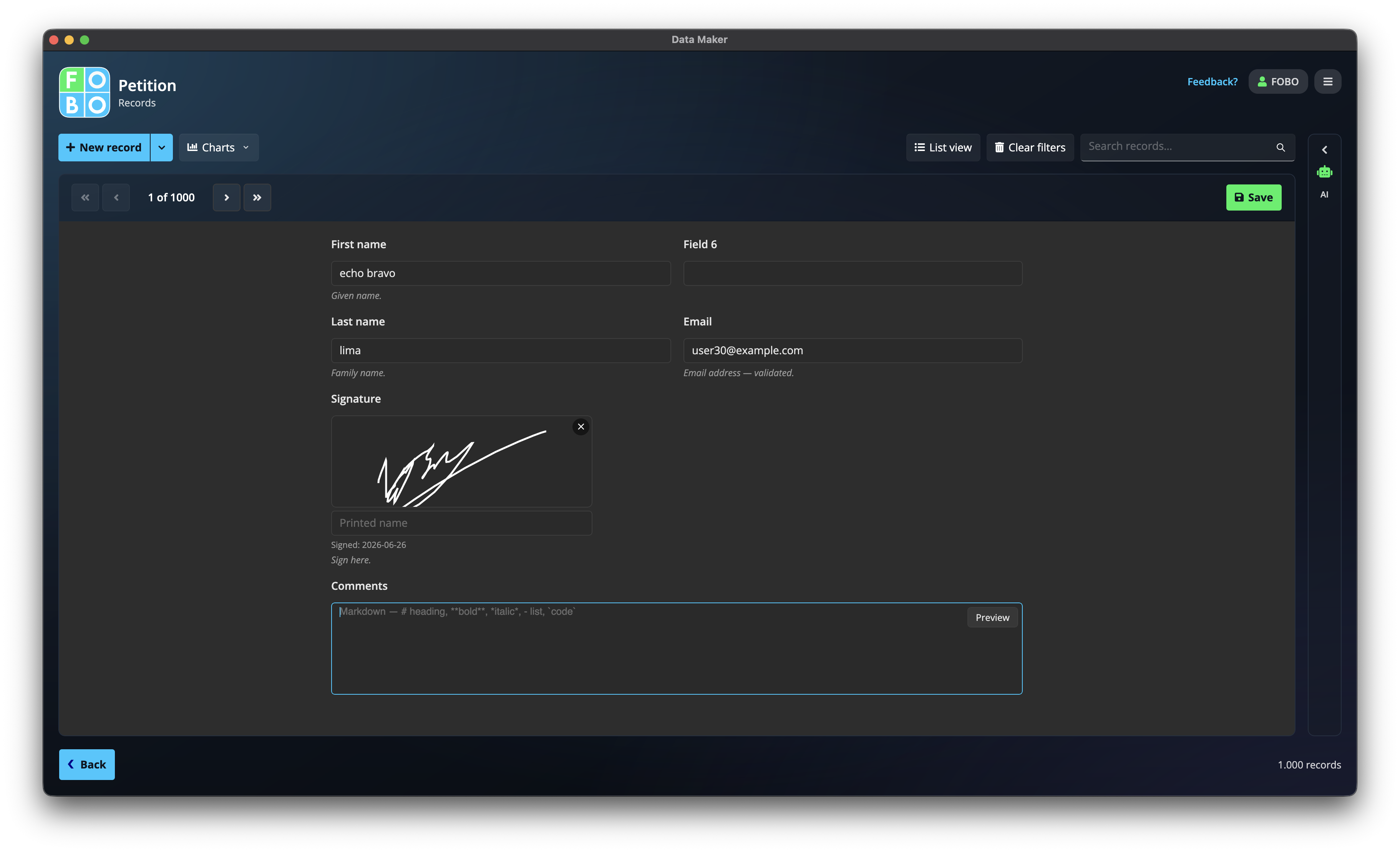
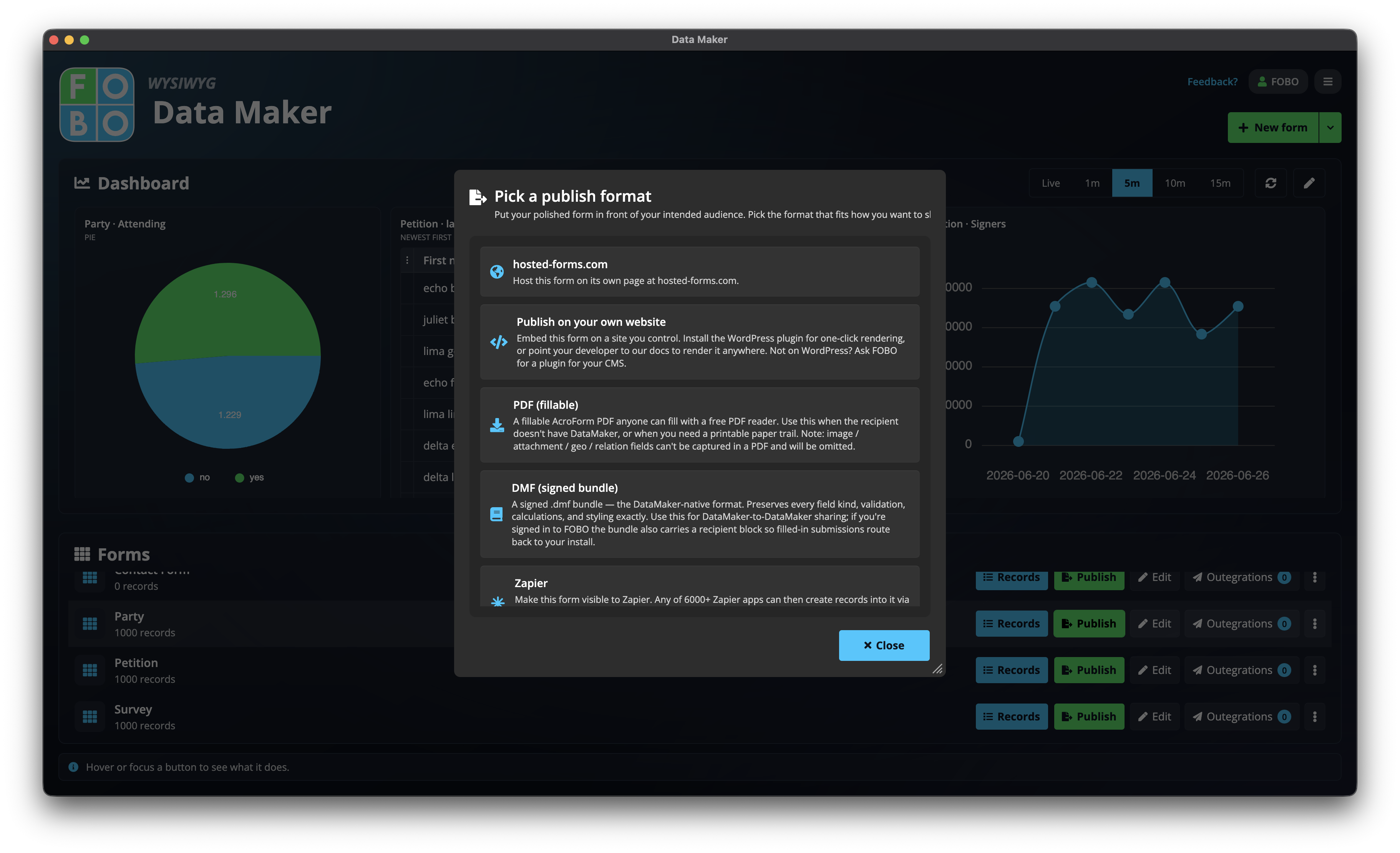
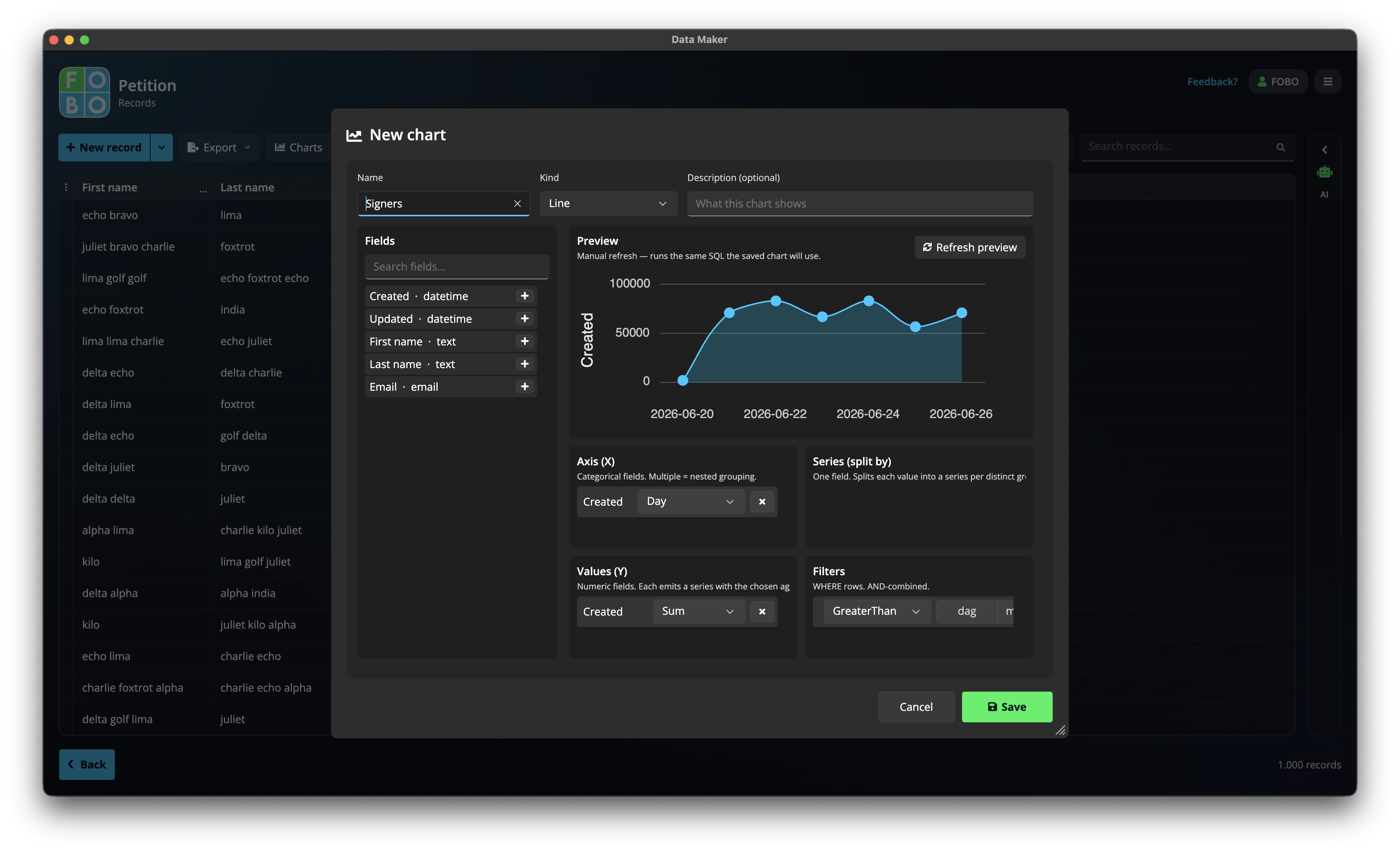
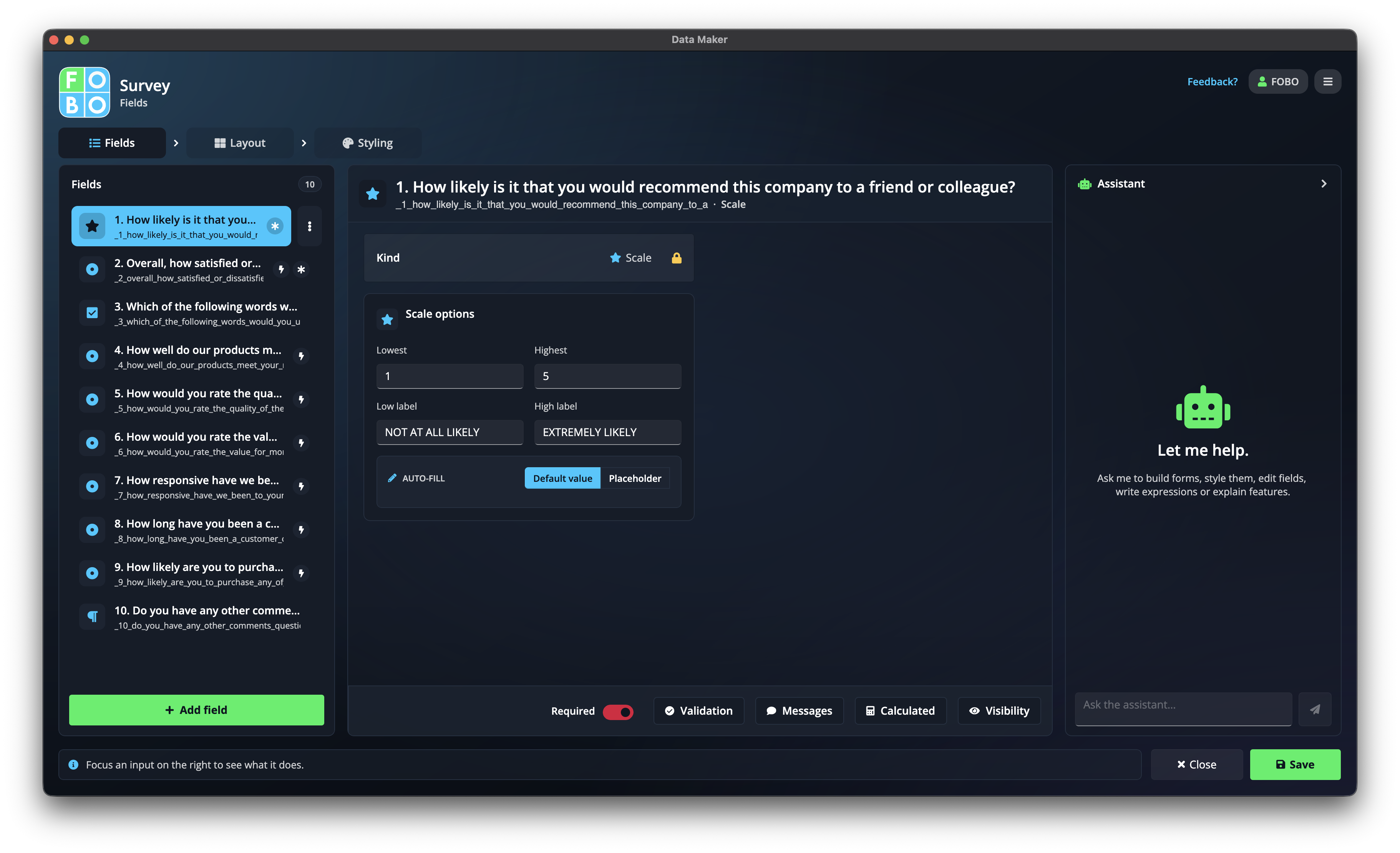
Press Esc, or click anywhere outside the image, to close.
Core features
Drag-and-drop form builder
A visual editor, no code. Text, numbers, dates, choices, ratings, signatures, and calculated fields.
Local encrypted database
Every submission is a row on your machine. Search it, filter it, edit it, chart it.
Publish anywhere
Hosted web page, fillable PDF, or a WordPress embed. One form, every channel.
End-to-end encryption
Submissions are sealed before they leave the sender. Our relay, running on AWS in the EU, holds ciphertext it cannot read until your desktop collects it.
Outbound integrations
Push records to Google Sheets, Excel, or email notifications. Data leaves only when you say so.
Import
Bring data in from spreadsheets, or map an existing fillable PDF onto a Data Maker form.
AI assistant
Describe a form in plain language and get a working draft back.
Charts and calculations
Summaries and formula fields that compute as records arrive.
Cloud backup
Optional, sealed with your recovery code. Restore to any machine.
Export to real databases
When the data outgrows the desktop, export it into PostgreSQL, MySQL, SQL Server, or Oracle as real tables.
Live OData feed for Excel
Open a secure feed on your own machine. Excel and reporting tools read your records directly and always see the latest, with no file to re-export.
Privacy positioning
- The database is a local file, encrypted at rest.
- Cloud backups are sealed before upload. FOBO holds only ciphertext.
- Submissions to published forms are encrypted end-to-end.
- The relay and backup storage run on AWS in Ireland. Nothing readable is stored there, and nothing crosses out of the EU.
- No telemetry on user data. Nothing is mined, nothing is sold.
- A FOBO account is needed on first run, to activate your purchase and issue your recovery code. That code is the key your database is encrypted with, which is why it is handed to you rather than kept by us. An account is also needed to deliver encrypted submissions from published web forms, since those travel to you through our relay. Everything else, including building forms, entering records, and filling PDFs, works offline.
Competitive positioning
Data Maker is not a SaaS form tool. It is a desktop application with a local database. The closest historical comparison is Borland Paradox: a visual form builder tied to a database that runs on your own machine. Data Maker is that idea rebuilt for 2026, with encrypted cloud sync, published web forms, and three platforms from one codebase.
| Data Maker | Google Forms | Typeform | Jotform | |
|---|---|---|---|---|
| Data stored | Your machine | Google servers | Typeform servers | Jotform servers |
| Encryption | End-to-end | At rest, Google holds the keys | At rest | At rest |
| Pricing | One-time €49 | Free | Subscription | Freemium |
| Offline use | Full | No | No | No |
| Local database | Yes | No | No | No |
Who it is for
- Small business owners, for intake forms, order forms, and feedback.
- Freelancers and consultants, for client intake and project briefs.
- Nonprofits and NGOs, for volunteer tracking, donation forms, and surveys.
- Researchers and academics, for field data collection.
- Privacy-conscious professionals: lawyers, therapists, accountants.
- Anyone replacing Google Forms who wants to own their data.
Logos and brand

Brand colours

Suggested headlines
- The form builder that keeps every answer on your machine
- Build forms, own your data: Data Maker puts the database on your desktop
- What if Google Forms respected your privacy?
- One developer, three platforms, zero readable data in the cloud
Founder quote
“I built Data Maker not because it was easy, but because I thought it would be easy.” Chivan Tiebosch, FOBO
Credits
Data Maker stands on open source. These projects did the hard parts, and they deserve the credit.
Uno Platform is why one C# codebase runs natively on Windows, macOS, and Linux, with the same pixels on every one of them.
WinUI.TableView by Waqas Ahmad is the records grid. It is a beautifully built control, and it is the reason a million rows scroll without complaint. We run a light fork of it to add SQL-backed virtualization, and we track upstream rather than drift from it. Licensed under MIT.
PDFsharp by empira and the PDFsharp Team turns a form into a real fillable PDF, widgets, signature fields, and all. Doing that by hand would have cost us months. Licensed under MIT.
Font Awesome Free supplies every icon in the app and on this website, and it is a genuine pleasure to work with. Icons are licensed under CC BY 4.0, the fonts under SIL OFL 1.1.
Press contact
Questions, review copies, higher resolution screenshots, or an interview: write to us and a person will answer.