Free download · No IAP
Reclaim your Disk Space.

Your disk is full and you want it fixed. Disk Space maps every gigabyte, tells you what each folder is for, and cleans up safely: caches go, the system stays.

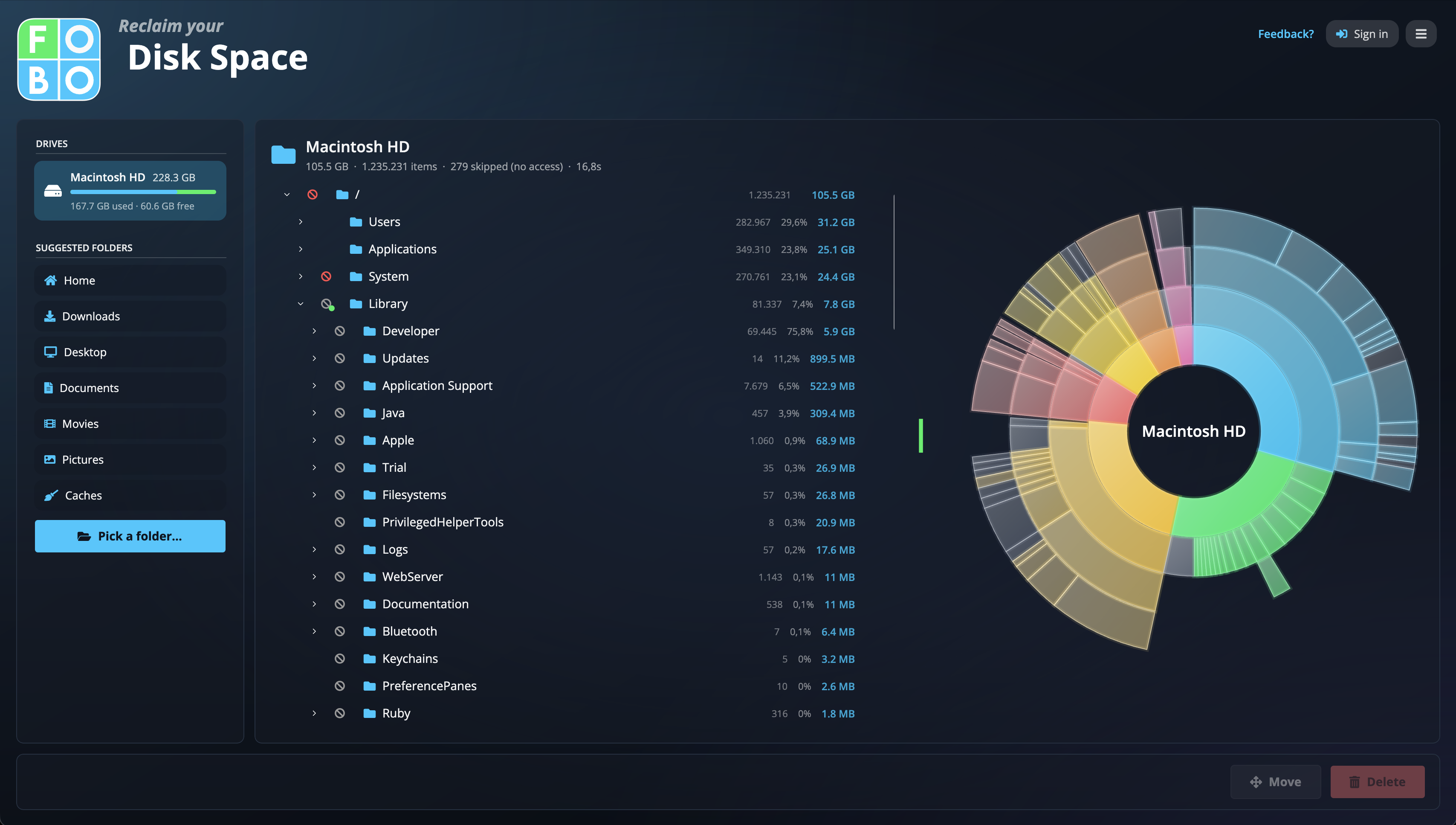
Disk Space after a scan: the tree, the sunburst chart, and safety markers
macOS Windows Linux

Find it, understand it, remove it

Three steps from a full disk to a clean one

See where the space went

Scan a whole drive or a single folder. Results stream in biggest-first, as a drillable tree and a sunburst chart that make the space-eaters impossible to miss.

Know what's safe

Every known folder carries a verdict: safe to delete, delete with care, or don't touch. Core system folders are locked outright, so a cleanup can't turn into a disaster.

Clean up with confidence

Tick what you don't need and delete it (Trash first), or move big archives to another drive. A folder knowledge base explains what each folder is for and how to clear it.

Cleaned up together

The folder knowledge base is built by people like you

Tell others which folders are safe, and which to leave alone

Every verdict in Disk Space comes from a shared knowledge base of folder explanations. Recognize a folder the app doesn't know yet? Describe it in a minute: what it is, whether it's safe to clean, and what to keep in mind. A FOBO admin reviews every submission before it goes live, and approved entries are translated into all the app's languages. One good explanation helps every user who runs into that folder after you.

  • Safe to delete, delete with care, or don't touch
  • Human-reviewed before anyone sees it
  • Your files and paths never leave your machine

Your disk stays private

Scans run entirely on your computer. Nothing about your files or folder names is sent anywhere. The app only downloads the shared folder explanations and matches them locally.

Cross-Platform

Free download for every major desktop operating system

macOS
Windows
Linux