The folder knowledge base
The verdicts and folder descriptions come from a shared knowledge base: a catalogue of folders that people actually have on their disks, each explained in plain words and reviewed by a human before anyone sees it.
What's in it
Each entry answers three questions about one folder: what is it, is it safe to empty, and how do you clear it properly. The catalogue starts with a curated set covering the usual space-eaters (app caches, temporary folders, developer build folders, update leftovers) and grows as users describe folders that aren't known yet.
Your privacy comes first
Your scan never leaves your computer. The app downloads the knowledge base and matches your folders against it locally. Nothing about your files or folder names is sent anywhere, and the matching key is stripped of your username. The only thing that ever goes up is a folder description you deliberately write and send.
When a folder isn't known yet
Selecting an unknown folder shows an invitation on the card below the chart: "Is the content of this folder safe to delete or move? Tell us." with a green Report button. If you know what the folder is (say it belongs to an app you use), a minute of your time helps every other user who runs into it.
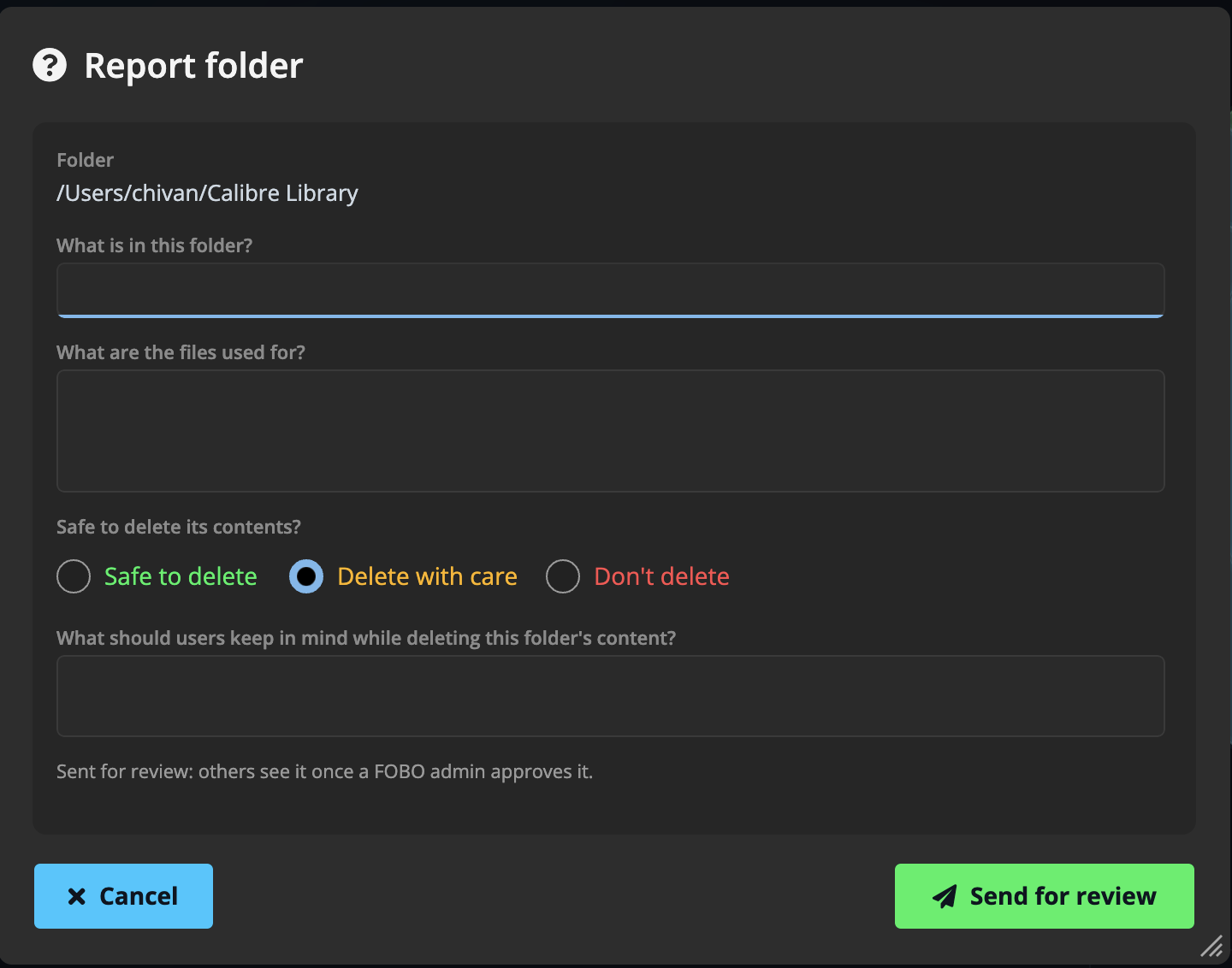
The report window asks for:
- What is in this folder? A short label, like "Video editor render cache".
- What are the files used for? A sentence or two of description.
- Safe to delete its contents? Your verdict: yes, with caution, or no.
- What should users keep in mind while deleting? Optional advice, like "the app rebuilds it on next launch".
When you think an entry is wrong
Every verdict card carries a "Not right?" link (locked system folders show "Think this is wrong? Report it"). It opens the same window pre-filled with the current entry, asking "Does this look right for this folder?" Confirm it with Yes, correct or pick Not right and say what's wrong or missing.
Reviewed by humans, translated for everyone
- Submitting requires a free FOBO account; the Sign in chip in the top-right corner handles that (Google, Apple, Microsoft, or email). Signing in is only needed for contributing; scanning and cleaning never require an account.
- New submissions land as pending and are checked by a FOBO admin before they're published: "Sent for review — others see it once a FOBO admin approves it." Nothing goes live unreviewed.
- Approved entries are machine-translated into all the app's languages, so a folder explained once helps users everywhere.
Didn't find your answer?
We're happy to help. Open a ticket and we'll get back to you.