Calculations & smart rules
This is where your form learns a few tricks: showing a question only when it's needed, or working out a total by itself. Think of it like a helpful colleague who tidies up the form as people fill it in, so they only see what matters and the sums add themselves up.
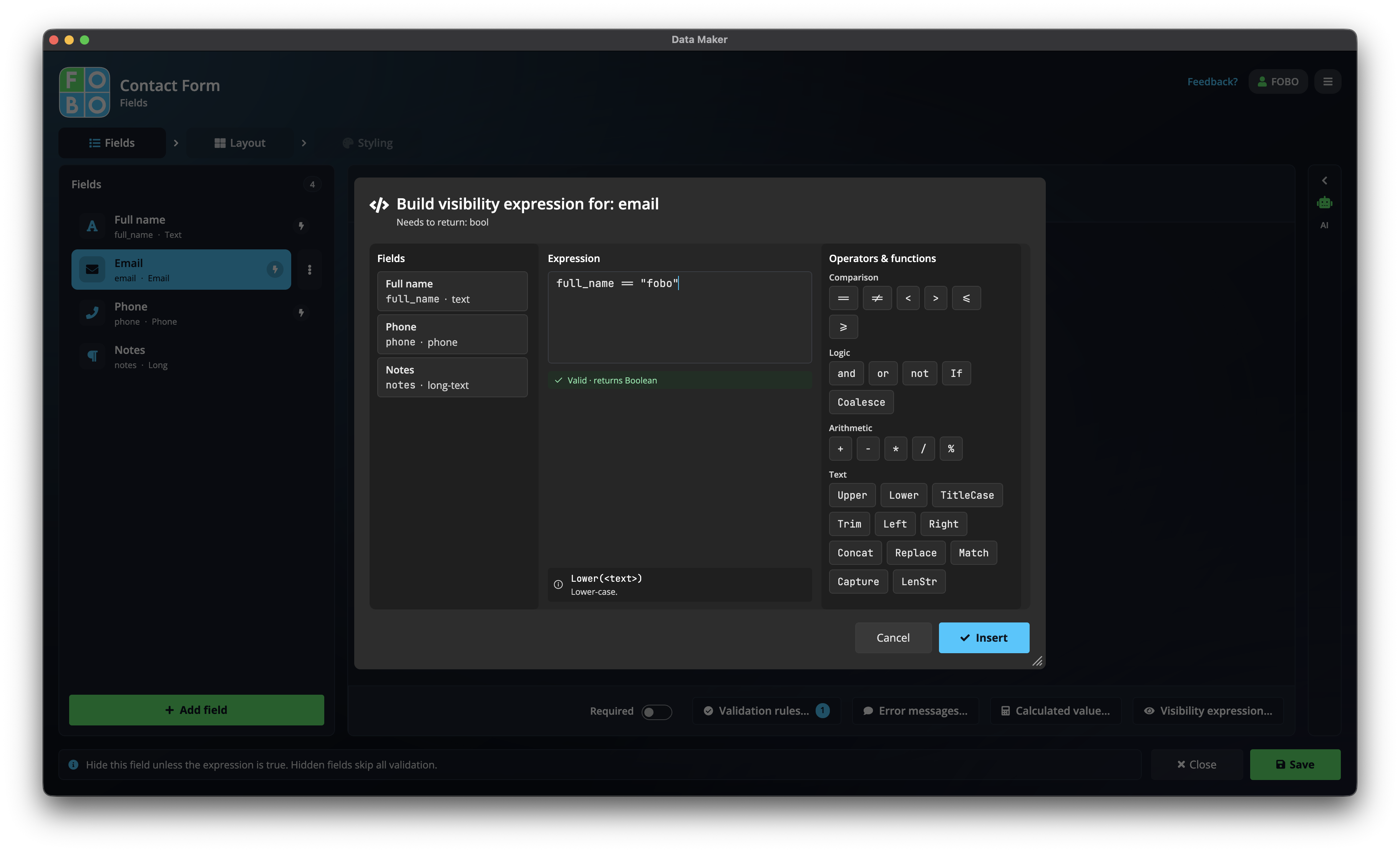
You set these up from a question's advanced options on the Fields tab. They all use the same friendly builder, so once you've done one you can do them all.
The three things you can do
Show or hide
Make a question appear only when an earlier answer calls for it, so people aren't asked things that don't apply to them.
Calculate a value
Work out an answer from other answers (a total, a price, a count) so nobody has to do the maths.
A custom check
Build a rule that compares answers, like "the end date must be after the start date".
The builder: clicking, not typing
You don't have to remember any special words. The builder gives you two handy lists to click together:
- A list of your fields: click one to pop it into the rule.
- A list of ready functions: common helpers like add, multiply, "is it equal to?", and so on. Click to drop them in.
You build the rule piece by piece, and a preview shows whether it makes sense as you go.
Real examples
- Show the "Other" box only when they pick Other: on the text box, set it to show when the choice question equals "Other". The box stays hidden until it's relevant.
- Total = price × quantity: on a total field, click price, the multiply function, then quantity. The total fills itself in as people type.
- Warn if the dates are back to front: a custom check that the end date comes after the start date, so nobody books a stay that ends before it begins.
If a calculation can't work out (say a number it needs is still blank), the box is simply left empty and marked, never filled with a wrong guess. And because the answer is calculated, people can't type over it. That keeps your totals honest.
Show/hide rules are the easiest way to make a long form feel short. Hide the follow-up questions until they're needed, and people only ever see what applies to them.
Related help
- Adding fields: where you open these advanced options.
- Checks & error messages: the simpler, ready-made rules for a single answer.
Didn't find your answer?
We're happy to help. Open a ticket and we'll get back to you.