Checks & error messages
Checks are the rules that make sure an answer makes sense before someone can finish, like a careful receptionist glancing at a form and saying "you've left the phone number blank". You can also reword the polite nudge they see when something's wrong.
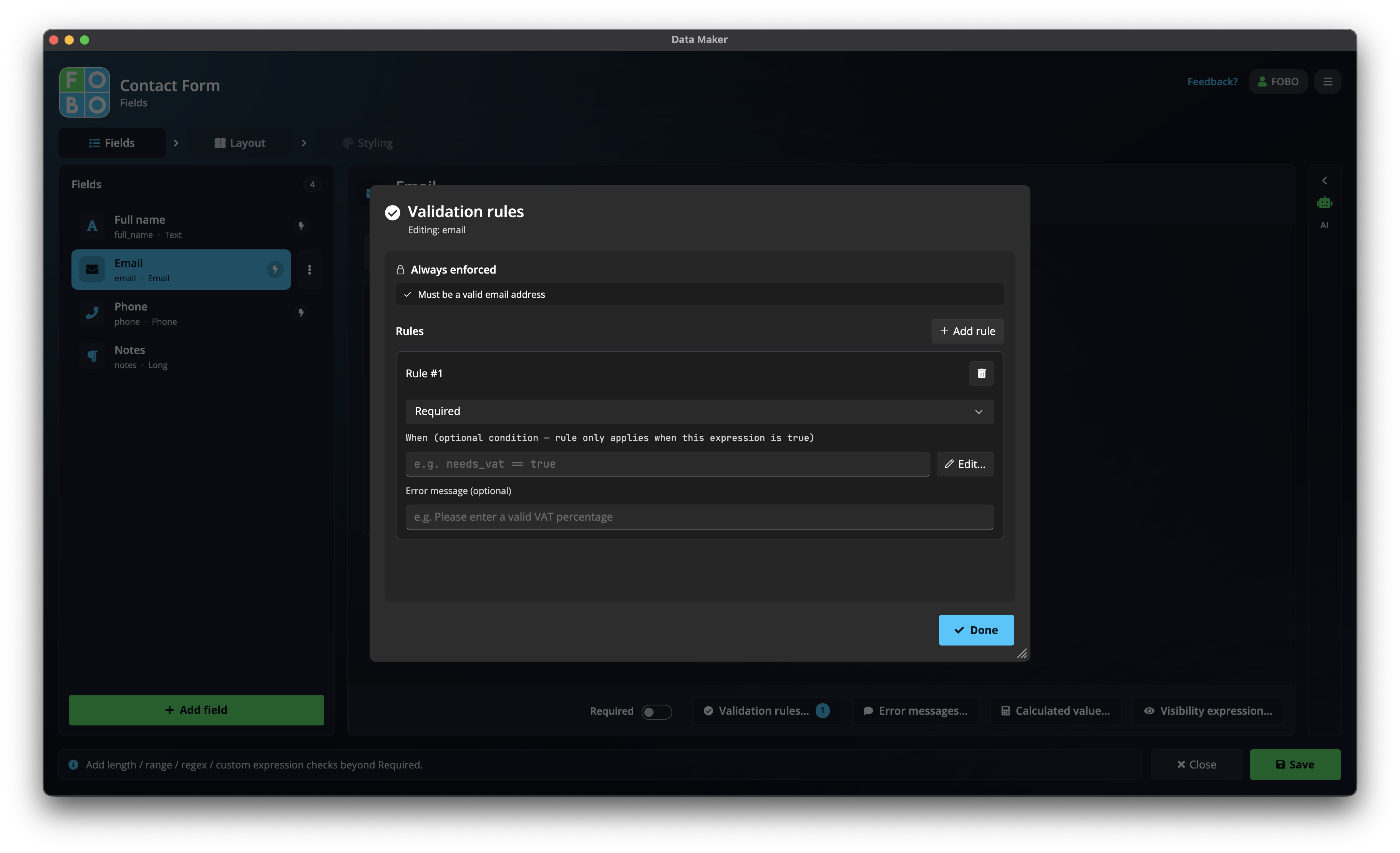
You set these up from a question's settings on the Fields tab. There are two related parts: the checks themselves, and the error messages people read when an answer doesn't pass.
Setting up checks
A check is a small rule the answer has to satisfy. You can add one or several to a question. The common ones:
| Check | What it makes sure of |
|---|---|
| Required | The question can't be left blank, so people must answer it. |
| Minimum / maximum | A number stays within bounds: "at least 1", "no more than 100". |
| Valid email | What they type looks like a real email address. |
| Text pattern | The text follows a shape you choose: a postcode, a reference number, a minimum length. |
A real example
Say you're asking for a phone number. You'd turn on Required so it can't be skipped, and add a check that it's at least 7 digits so a stray "12" doesn't sneak through. Now anyone who tries to submit with a too-short number gets stopped gently and asked to fix it.
Wording the error messages
When an answer fails a check, the person sees a short message under the box. You can customise this wording so it sounds like you, not a robot. Instead of a stiff "Invalid input", you might write "That doesn't look like a full phone number. Please include the area code."
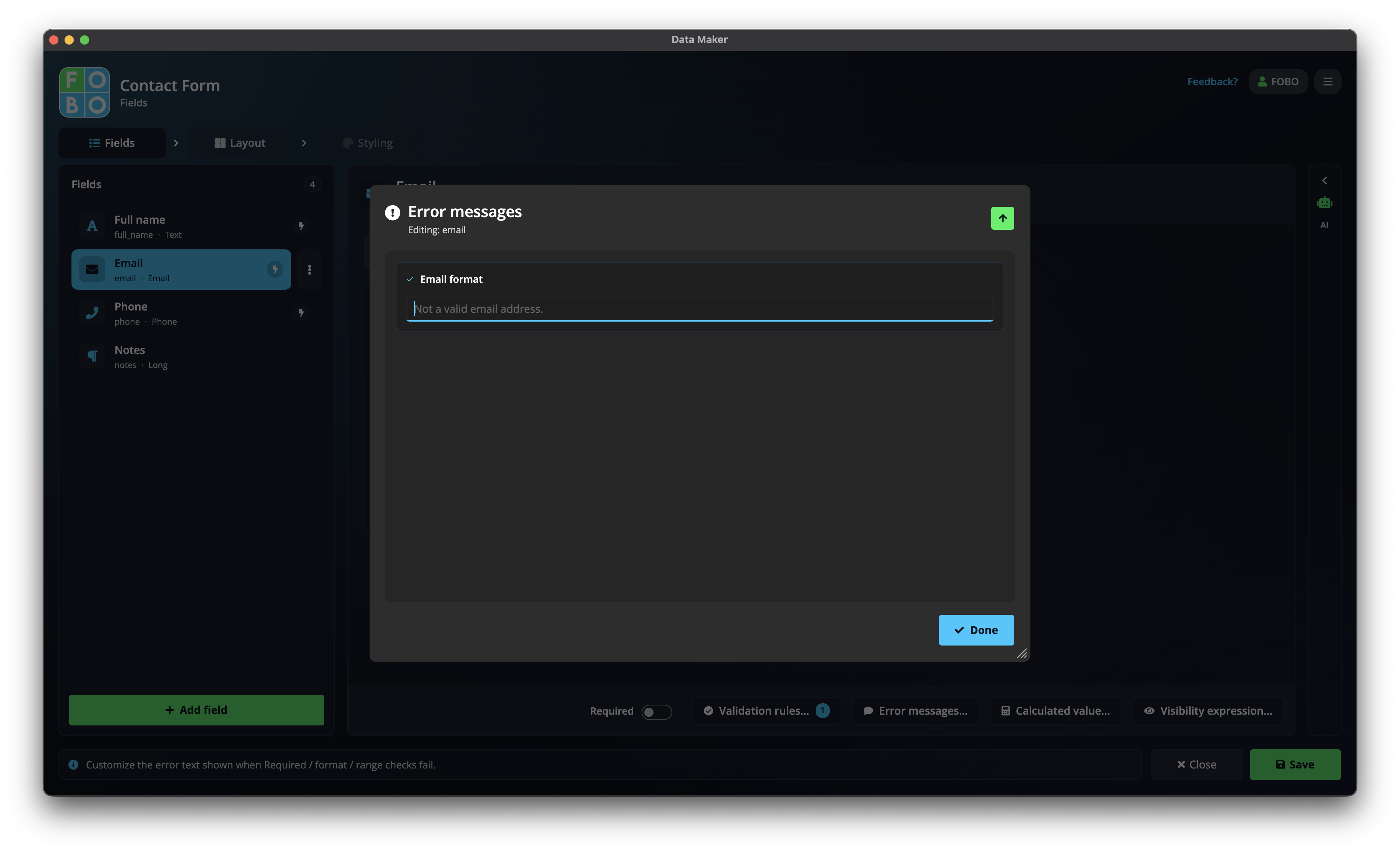
Friendly, specific messages get forms finished. Tell people exactly what to do to fix it: "Please pick a date in the future" beats "Error".
Answers that can't be filled in
Some answers are worked out for the person automatically (a total, for instance) rather than typed. If one of those can't be calculated, it's left empty and clearly flagged rather than showing a wrong value, and people are never allowed to type over it. You'll find more on that in Calculations & smart rules.
Checks run as people fill in the form and again when they try to submit, so nothing incomplete slips through. The form won't let them finish until every check passes.
Going further
Need a rule that depends on other answers, like "the end date must be after the start date"? That's a custom check, built in the expression builder. To change which questions a check applies to, head back to the Fields tab.
Didn't find your answer?
We're happy to help. Open a ticket and we'll get back to you.