Welcome to Data Maker
Data Maker lets you design your own forms and collect the answers in one tidy place, a bit like drawing up a paper form and keeping a filing cabinet for the replies, except both live on your computer and do the sorting for you.
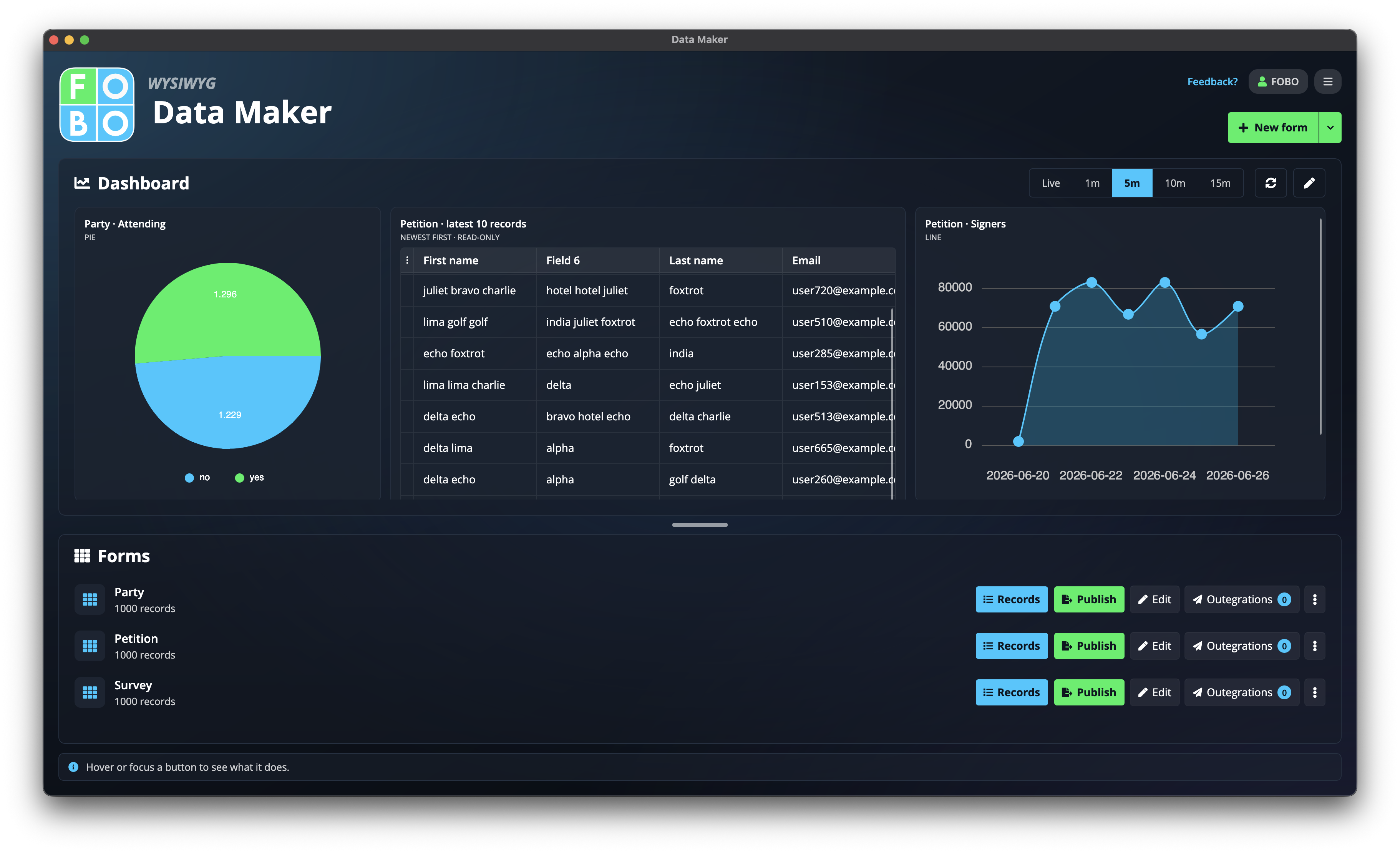
If you've ever built a sign-up sheet, a booking form, an inspection checklist, or a simple contact list, Data Maker is for you. You decide what to ask, how it looks, and where the answers go. Nothing leaves your machine unless you choose to share it.
The three things you'll do
Almost everything in the app falls into one of three steps. You'll move between them freely: build a little, collect some answers, share it, then come back and adjust.
1. Build a form
Add your questions, arrange them on the page, and choose how it looks. Start in the Form Builder.
2. Collect records
Each answer becomes a row you can search, edit, and chart. See the Records list.
3. Share it
Put it on a web page, hand out a PDF, or send entries onward. See Publishing a form.
Finding your way around
When you open Data Maker you land on the Home screen, your shelf of forms. From there you open a form to add questions, or open its records to see the answers. The menu in the top-right corner takes you to your account, backups, and other settings.
Stuck on a screen? Open the Help menu while you're on it and you'll land on the page that explains exactly what you're looking at.
New here? Start with these
- Setup & your recovery code: the one thing to do (and keep safe) the first time you open the app.
- The Home screen: where everything starts.
- Adding fields: how to put questions on your form.
- The AI assistant: describe the form you want and let it draft one for you.
Didn't find your answer?
We're happy to help. Open a ticket and we'll get back to you.